
Self-hosted personal finance tracking with xpenser
Track and analyze income and expenses with dashboards, categories, vendors, reports, and MCP/API access in a self-hostable app with source you can inspect.
xpenser is early and evolving; feedback on product fit, self-hosting, README clarity, and MCP workflows is welcome.
Product-led paths for finance tracking
Start with the angle that fits your evaluation: self-hosting, open-source expense tracking, or API and MCP access for finance workflows.
Run xpenser as a self-hosted personal finance tracker with Docker Compose, a web app, private API service, PostgreSQL, telemetry, and open source code.
Explorexpenser is an open-source expense tracker for recording expenses, income, refunds, vendors, categories, multi-currency transactions, and finance reports.
ExploreUse xpenser with API keys, typed client access, and MCP tools for personal finance data, including vendors, categories, transactions, and agent workflows.
ExplorePersonal finance workflows first
xpenser is a working app, not a static showcase. It grew from a personal Telegram bot plus Google Sheets workflow into the product surfaces a finance tracker needs while keeping the implementation open-source and small enough to inspect or self-host, including multiple currencies and Frankfurter-backed automatic conversion.
Dashboard summaries
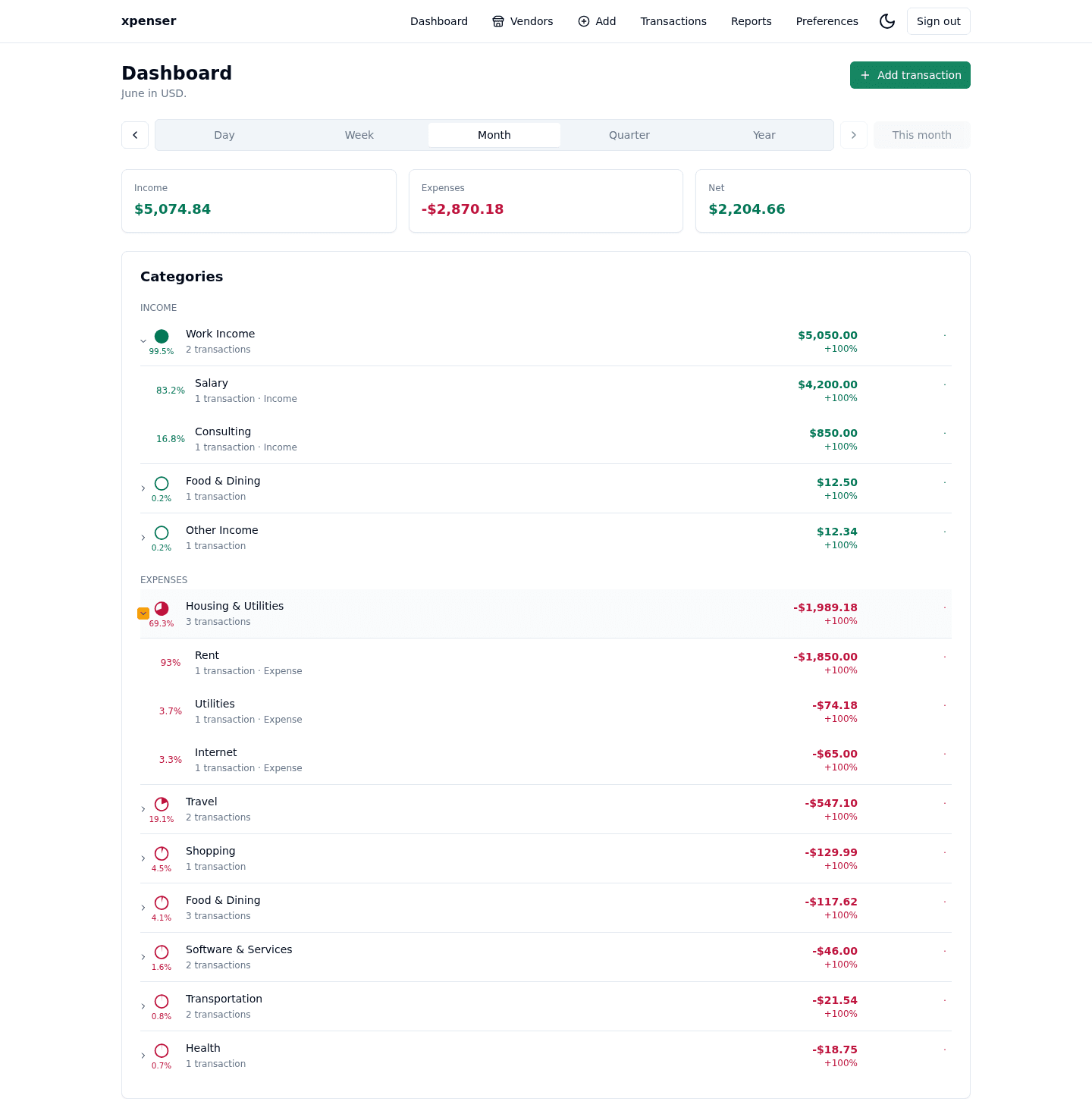
Daily, weekly, monthly, quarterly, and yearly summaries keep income, expenses, net totals, and trends visible.
Transaction tracking
Record income, expenses, refunds, and returns with category, note, date, and currency context.
Multi-currency conversion
Use multiple transaction currencies with automatic conversion to your default currency through Frankfurter rates.
Reports and email summaries
Reports compare periods on demand, and configurable weekly and monthly email summaries surface OpenAI-generated spending and income insights.
Personal setup
Preferences cover default currency, favorite transaction currencies, time zone, API keys, and Telegram bot linking.
Mobile-friendly interface
Responsive screens keep dashboard, transaction, and setup workflows usable on phones and desktops.
Learn Cleverbrush from a working app
The codebase exercises Cleverbrush contracts, server handlers, generated clients, schema-backed React forms, auth, Telegram bot integration, an MCP server, logs, telemetry, and deployment-ready configuration for self-hosting.
Schema-first contracts
Shared schemas describe validation, OpenAPI output, React forms, and typed client contracts from one source.
Typed full-stack flow
The same contract powers the server handlers, generated client calls, auth metadata, and cache tags.
Auth-aware APIs
Google sign-in, API keys, and protected endpoint metadata demonstrate framework-level auth integration.
Observable runtime
OpenTelemetry, structured logs, and typed environment parsing show how production behavior is wired in.
Connected entry points
The app exposes normal product UI and integration paths for agents, services, and external clients.
API keys
Create durable keys for typed client access.
MCP server
Let approved agents read or manage vendors, categories, and transactions through tool calls.
Telegram bot
Link Telegram and use bot-driven finance workflows alongside the web UI.
Telemetry
Trace web, API, and integration paths through SigNoz.
Use it, self-host it, or study the source
Create an account for the hosted app, review the source on GitHub, or follow the Cleverbrush docs behind the contracts, forms, APIs, and telemetry.